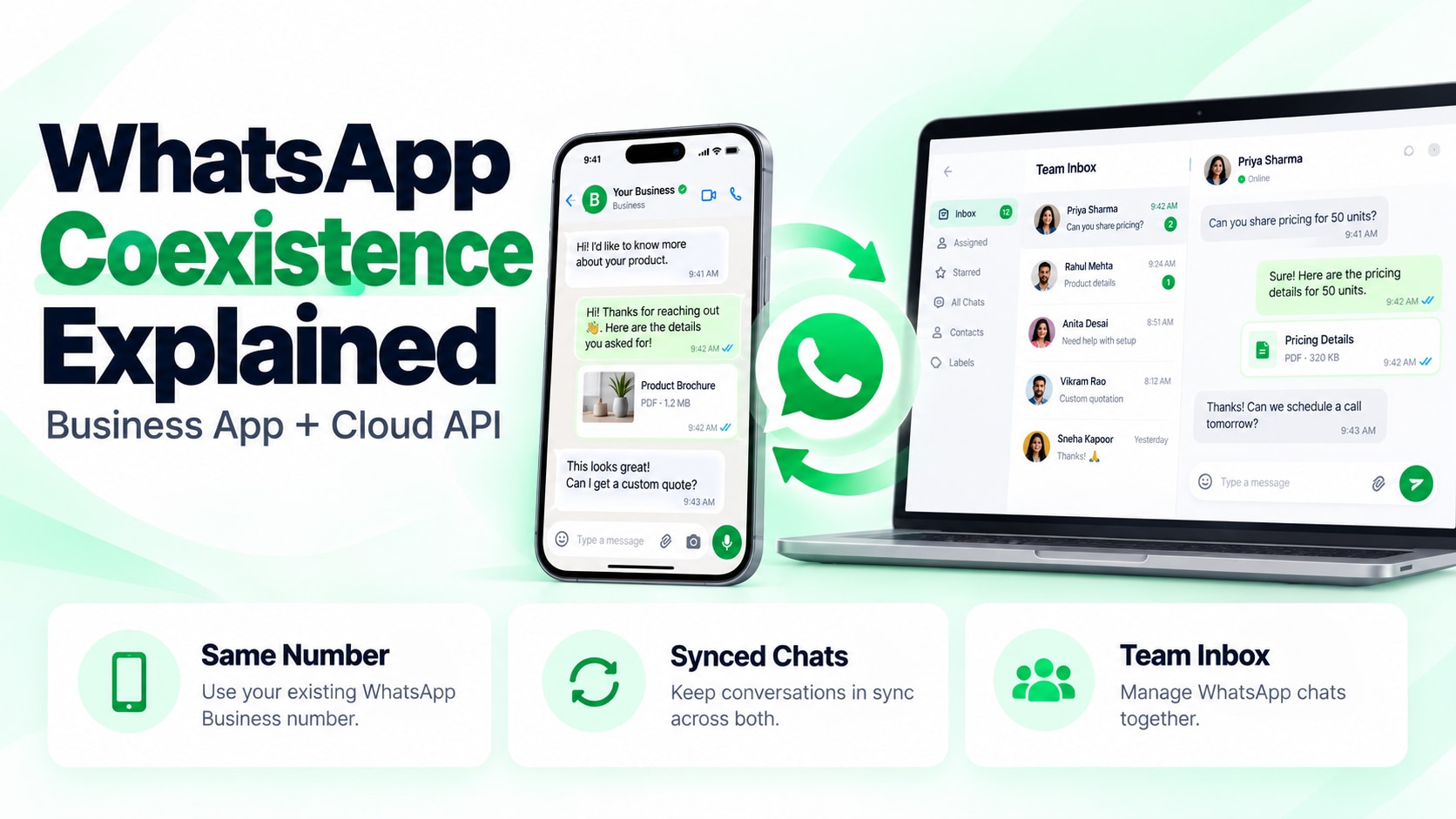
WhatsApp Coexistence Explained: How to Use the Business App & Cloud API on the Same Number Simultaneously
⚡ Quick Summary
WhatsApp Coexistence is an official Meta feature that allows businesses to use the exact same phone number across both the mobile WhatsApp Business App (on iPhone or Android) and the WhatsApp Business Cloud API simultaneously. Automated broadcasts, AI agents, and multi-agent inboxes operate via the API, while founders and agents can still chat manually from their mobile phones. Messages synchronize bidirectionally across both interfaces without requiring you to delete your mobile app.
For five years, upgrading to the official WhatsApp Business API carried a painful trade-off: you were forced to delete the WhatsApp Business App from your mobile phone.
Once registered on the API, your phone number could only send and receive messages through desktop dashboard software. If you were a founder on the move, a real estate broker visiting a site, or an agency manager away from your laptop, you were completely locked out of personal customer conversations.
Meta has officially dismantled this limitation with WhatsApp Coexistence.
This architectural shift allows high-volume automation and personal human mobility to run side-by-side on a single registered phone number. Here is how coexistence works, step-by-step onboarding, and the critical warmup rules to avoid triggering Meta's automated spam bots.
How WhatsApp Coexistence Works Under the Hood
Prior to Coexistence, Meta maintained strict database isolation between its client-facing mobile applications and the WhatsApp Business Platform (Cloud API). Registering an API phone number effectively revoked its mobile cryptographic credentials.
With Coexistence, Meta maintains a unified message routing mesh for the registered phone number:
- Inbound Messages: When a customer sends a message to your business, Meta routes the payload simultaneously to your WhatsApp Business mobile app and to your Cloud API webhook endpoint (such as your Wuubiz inbox).
- API Outbound Messages: Broadcast campaigns, abandoned cart recovery nudges, and AI agent responses triggered via the API are mirrored into the mobile WhatsApp Business app's conversation history.
- Mobile Outbound Messages: Quick manual replies typed from your phone are pushed via webhook into your desktop multi-agent team inbox, ensuring your team has full visibility.
| Feature | WhatsApp Business Mobile App Only | Legacy WhatsApp API (No Coexistence) | WhatsApp Coexistence (Wuubiz) |
|---|---|---|---|
| Mobile Phone Access | ✓ Full Mobile App | ✗ Must Delete Mobile App | ✓ Full Mobile App Maintained |
| Broadcast Limits | 256 contacts (must save number) | 1,000 to Unlimited Daily | 1,000 to Unlimited Daily |
| Autonomous AI Agents | ✗ None | ✓ Full API Webhooks | ✓ Full API + Human Mobile Override |
| Team Collaboration | Max 4 linked devices | Unlimited Agent Seats | Unlimited Agent Seats |
The Danger: How to Avoid the Coexistence Automated Ban Loop
If you purchase a brand-new SIM card, activate the WhatsApp Business App, and immediately connect it to the Cloud API to fire 5,000 marketing broadcasts on Day 1, Meta's automated anti-abuse heuristics will flag your number for instant restriction.
Meta monitors newly connected numbers for inorganic traffic spikes. To ensure your number stays in High Green Quality status, adhere to the 14-Day Pacing Protocol:
- Days 1–7 (Organic Mobile Warmup): Use the phone number naturally on the mobile WhatsApp Business App. Exchange two-way conversations with known clients, suppliers, and team members. Establish a baseline of incoming and outgoing chats.
- Day 8 (Enable Coexistence via Embedded Signup): Link the number to your Wuubiz dashboard via the official Meta Embedded Signup dialog. Ensure you check "Enable Coexistence with Mobile App".
- Days 9–11 (Targeted Micro-Broadcasts): Send high-intent broadcasts only to highly engaged customers who recently purchased (50–100 messages/day). Monitor delivery rates and ensure zero user blocks.
- Day 12+ (Scale Messaging Velocity): Gradually scale your broadcast volume towards Tier 1 limits (1,000 daily business-initiated conversations).
Step-by-Step: Enabling Coexistence on Your Number
Connecting your number without losing your phone setup takes less than five minutes through Wuubiz:
Step 1: Back Up Your WhatsApp Business App
Open WhatsApp Business on your phone → Settings → Chats → Chat Backup. Run a manual backup to iCloud or Google Drive to guarantee chat safety.
Step 2: Launch Embedded Signup in Wuubiz
Log in to your Wuubiz dashboard, navigate to Integrations → WhatsApp Official, and click Connect with Meta.
Step 3: Select Coexistence Option
In the Meta setup modal, select your registered phone number. When prompted with connection modes, select "Keep WhatsApp Business App Active (Coexistence)".
Step 4: Verify via 6-Digit SMS / Voice Code
Enter the 6-digit confirmation code sent to your phone. Once confirmed, your mobile app remains active while your cloud dashboard receives full API superpowers.
Keep Your Mobile Phone. Unlock Enterprise Automation.
Experience official WhatsApp Cloud API with zero message markups, autonomous AI agents, and full mobile app coexistence.
Start Your 14-Day Free Trial →